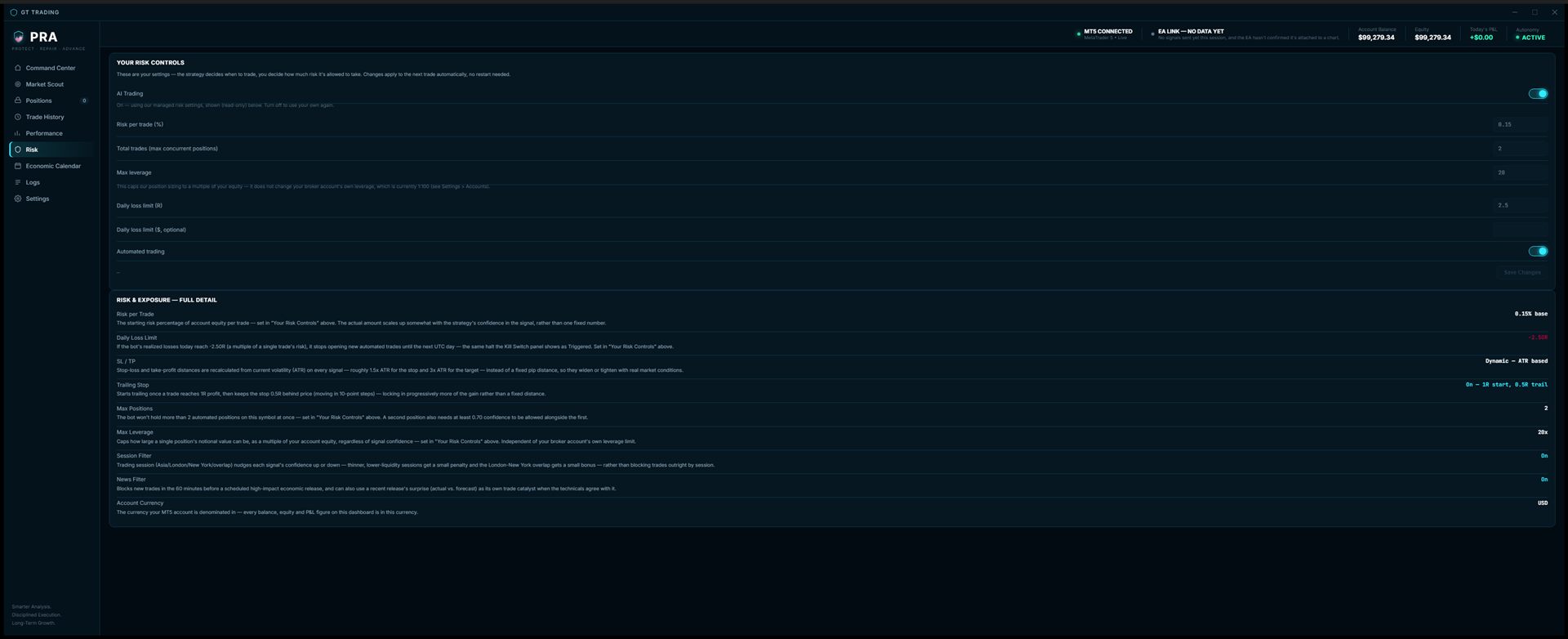
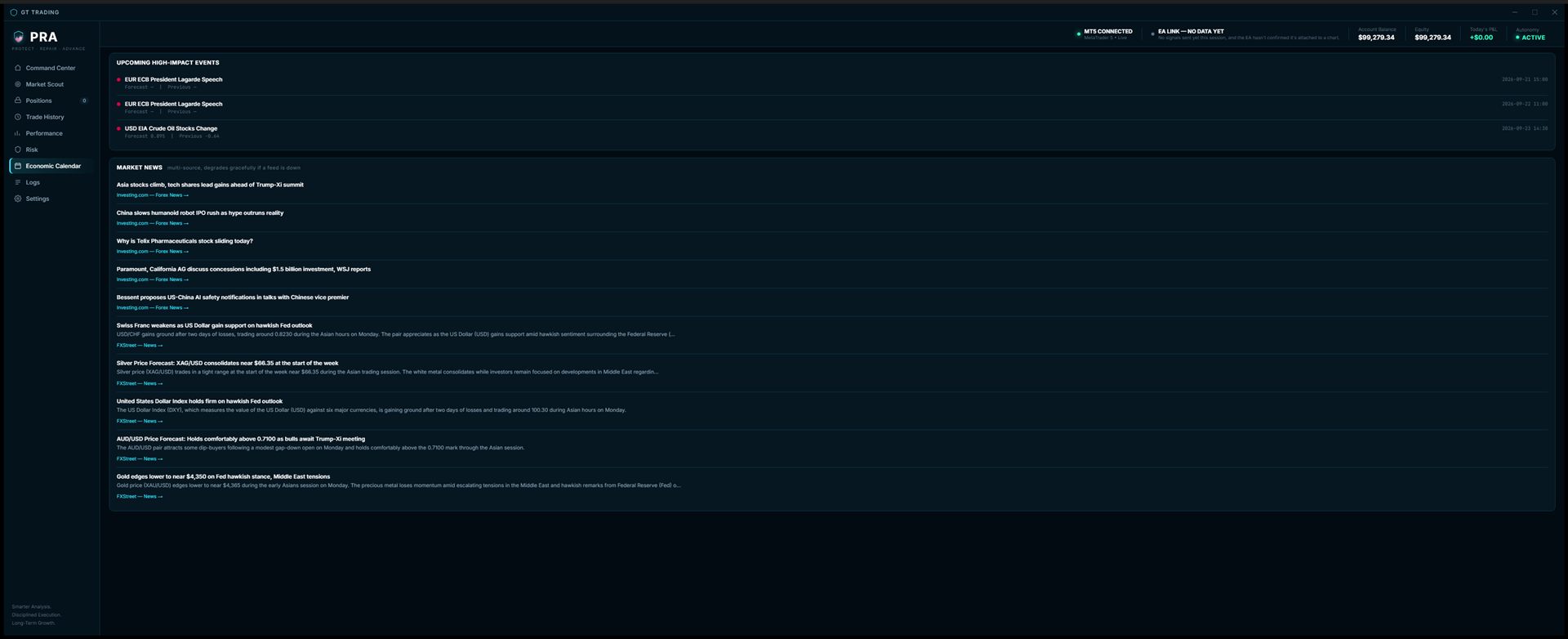
PRA Command Center runs entirely on your own PC, in your own MetaTrader 5 account. You set the risk limits — how much per trade, how many positions, your daily loss cap. The strategy handles the rest.
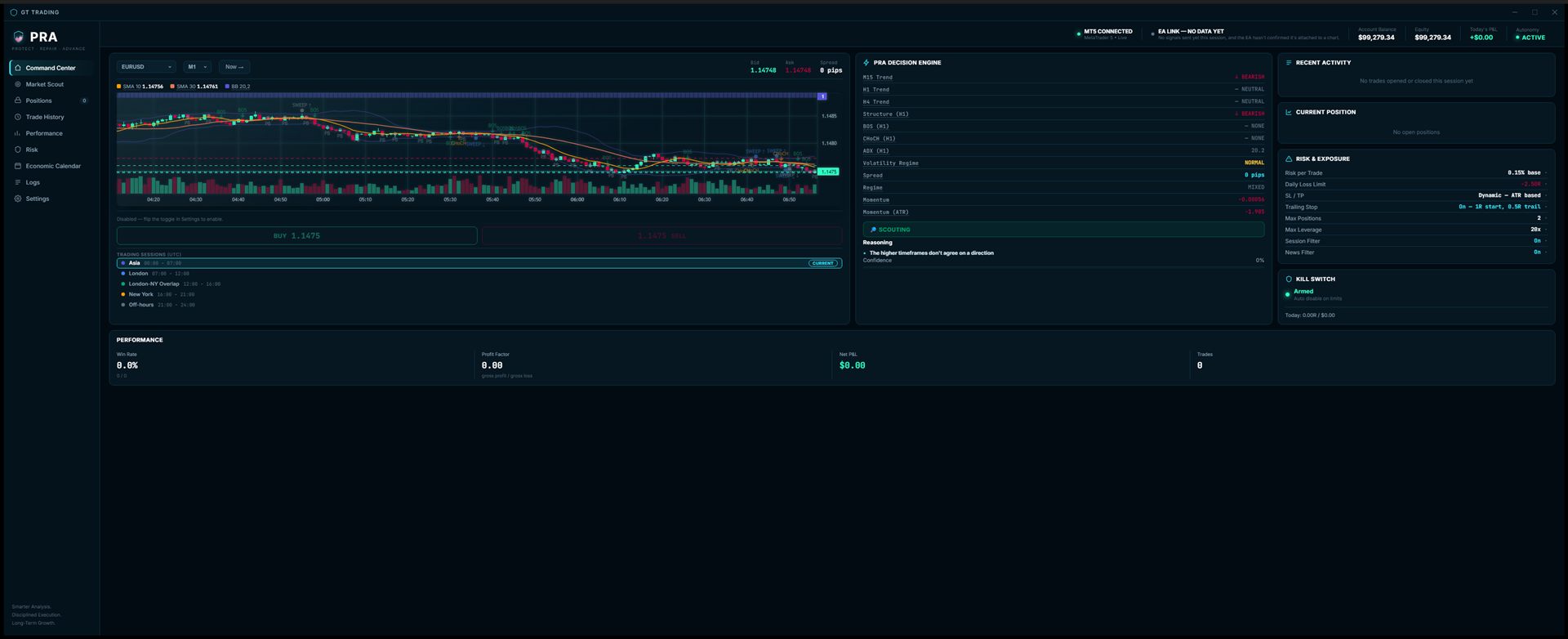
Real screens captured straight from the live desktop app — the price chart below is animated to show it in motion; everything else is the actual UI.
The dashboard always shows which of these it's in right now — and if it's not trading, exactly why not.
No open position — it's reading market structure, trend, and momentum every 30 seconds, waiting for every filter to line up before it ever considers a trade.
A signal just fired. Before anything goes live, it re-confirms the setup still holds at the moment of execution — not just the moment it was first spotted.
The order is sent. It confirms the fill, checks the actual entry price against what was expected, and hands off to risk management the instant the position is live.
Once a trade is open, a separate loop checks in every second — trailing your stop, watching for the target, and journaling the result the instant it closes.
While a trade is open, it keeps re-checking the original thesis against the live market — if the structure that justified the trade breaks down, it flags it rather than blindly waiting for the stop.
Outside trading hours or over the weekend, it simply waits — nothing scanning, nothing at risk, nothing to manage.
Nothing about this product touches your money directly — it places trades inside the MetaTrader 5 account you already own, using limits you set yourself.
Risk per trade, max concurrent positions, max leverage, trailing stop, and a daily loss limit — all editable by you at any time, with no "recommended" defaults pushing you one way.
The software installs on your own machine and connects to your own MT5 terminal. We never hold your funds or your broker login.
A single toggle stops new automated trades instantly. Anything already open keeps being managed until it closes or you close it.
Every trade the software opens is journaled — entry, exit, R-multiple, MFE/MAE — so you always know exactly what it's done.
Your subscription issues a personal license key, checked by the app on launch — simple to activate, simple to manage from your dashboard.
The PRA Software Decision Engine shows its multi-timeframe trend read, market structure (BOS/CHoCH), momentum, and volatility regime — plus a plain-English reason any time it's scouting instead of trading.
PRA Command Center runs inside MetaTrader 5 (MT5), the free trading platform most brokers support — it's not something PRA builds or controls, just the terminal it plugs into. New to trading? Here's the full path from zero.
You'll need a broker that supports MT5 — a free demo account is fine to start, no deposit required. Pepperstone and OANDA are both popular, well-regarded choices.
Download MetaTrader 5 from MetaQuotes (the platform's maker) and install it — your broker may also link you straight to a version pre-configured for their servers, either works.
Open MT5 and log in with the account details your broker emailed you when you signed up.
Install the PRA Command Center desktop app — it finds your running MT5 terminal automatically once both are open.
Copy the included Expert Advisor into MT5's Experts folder, drag it onto any chart, and switch on Algo Trading — this is the part that actually lets Command Center place trades. Full step-by-step is in the install guide bundled with your download.
Paste the license key from your dashboard into Settings → Accounts inside the app. Automated trading stays paused until this succeeds.
The things people usually ask before (and right after) installing.
Nothing's wrong. No trading approach wins every single trade, and anything that claims to is lying to you. Command Center is built around managing risk correctly across many trades, not avoiding every loss — what actually matters is the size of your wins versus your losses over time, not whether any one trade won.
No. Your funds sit in your own account with your own broker, exactly as they did before you installed anything. PRA never touches, holds, or has access to your money at any point.
No. Command Center runs on your own PC and connects only to your own MT5 terminal, already logged into your broker with your own credentials — we never see your broker login, and there's no path for us (or anyone else) to move money out of your account through this software.
No. Command Center is a software execution and trade-logging tool, not a financial advisor, broker, or managed account. Nothing it does is a personal recommendation — you decide whether automated trading suits your situation, and we'd suggest a licensed financial advisor if you're unsure.
No — be skeptical of anything that claims otherwise. Trading carries real risk of loss, including losing more than you expect. Command Center manages that risk according to the limits you set; it doesn't eliminate it.
No prior experience is required to install and run it. You should still understand the risk settings you're choosing — risk per trade, max leverage, daily loss limit — before turning on automated trading, since those decisions are yours to make.
Yes. Command Center works with a demo MT5 account exactly the same way it does with a live one, so you can watch it run with zero real money at risk before deciding.
Command Center needs to be running to place new trades or manage open ones, so it can't act while your PC or internet is offline. Any position already open in MT5 stays exactly as your broker's own stop-loss/take-profit settings define, independent of whether the app itself is running.
Yes, instantly, with a single toggle in the app. Anything already open keeps being managed as normal (by your broker's own stop-loss/take-profit, or by you manually) until you close it.
Cancel any time from your dashboard — no lock-in contract. It takes effect at the end of your current billing period; see our Terms for the full policy.
Create an account, choose a plan, and you'll have a license key ready for the desktop app in minutes.